A photo editor you embed in your web app. It feels like the one on your iPhone.
One React component, or one function call on any other page. People edit their photos without leaving your app, and your code gets the result back as a File.

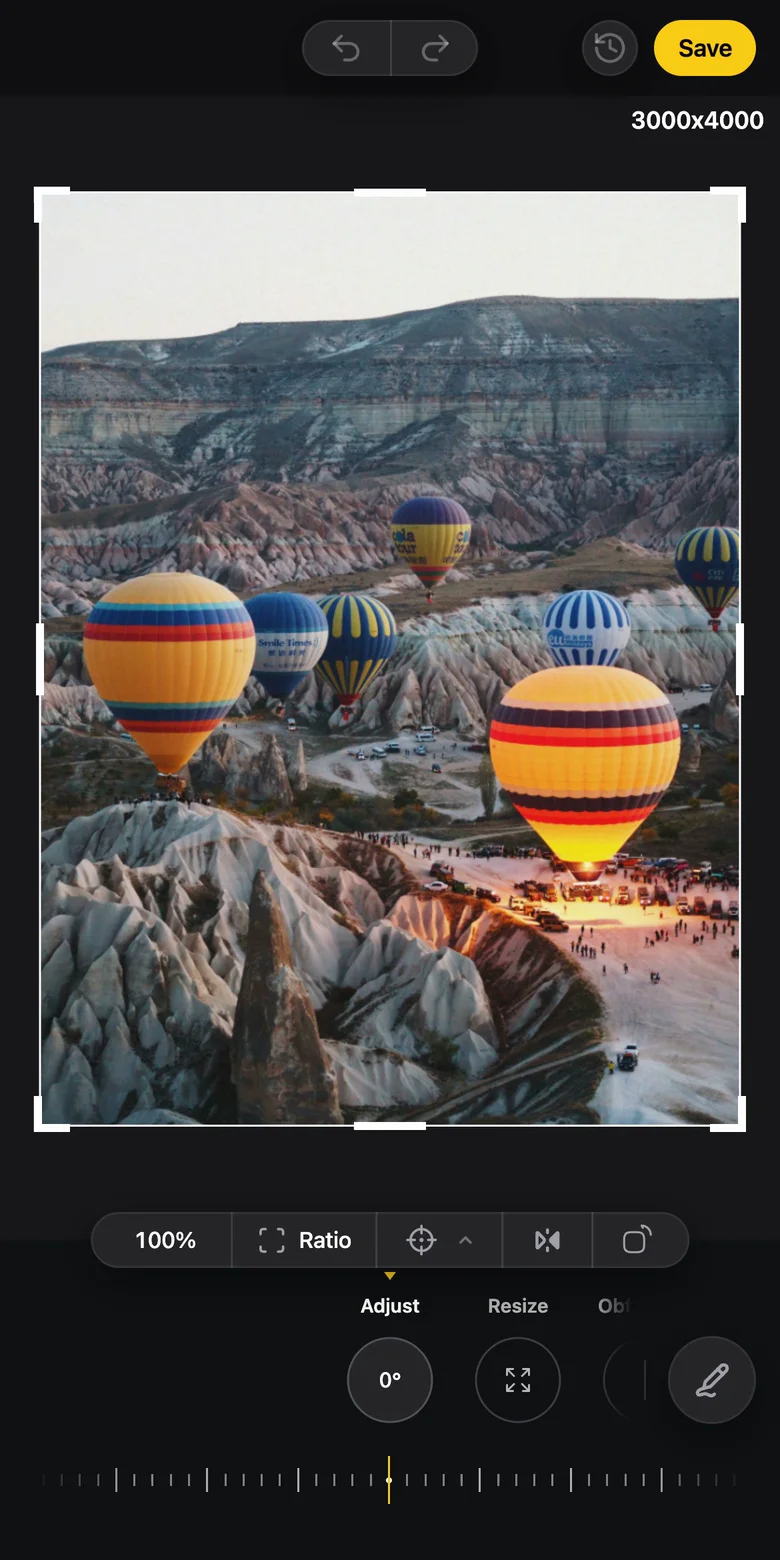
This is the editor itself, running in your browser in its own default colors, opened on a camera kit with every annotation tool on it, saved. They are still editable. The name in its bar is where your own goes: white label is your logo, name and colors. Photo by Micah & Sammie Chaffin on Unsplash.
Made for Touch
As good under a thumb as under a mouse.
On a phone it moves the way an iPhone does: a pinch keeps the photo under your fingers, a flick glides on and settles, and controls reach at least 44 × 44 px under a finger. Below 640 px wide, the modal opens as a sheet from the bottom.

Features
Every edit people reach for, inside your app.
Every video is the editor itself at work, not a mock-up. Crop, large photos and your brand come in every edition; the rest is the Full.
CropEvery Edition
Get every photo back in the shape your page needs.

- Open at any ratio, or lock it in.
- Focus lands the crop on the subject.
- Cap the size and type of every file.
FiltersFull Edition
Fix a dull photo in one tap, then fine-tune it.

- Nine iPhone-style filters, each with an intensity.
- Auto lifts a dull photo in one tap.
- Twelve adjustments, measured against the iPhone.
AnnotationsFull Edition
Point at what matters, right on the photo.

- Arrows, text, numbered steps, rulers and shapes.
- A magnifier for the detail too small to read.
- Saved with the photo, editable when it reopens.
ObfuscateFull Edition
Hide faces, plates and text before a photo is saved.

- Blur, pixelate or cover with a solid bar.
- Solid hides text with nothing showing through.
- The saved file matches the preview exactly.
WatermarkFull Edition
Put your mark on every photo it saves.

- Your text or logo on every saved photo.
- Lock it so nobody hides or rewords it.
- Stamp photos in code, no editor needed.
Large PhotosEvery Edition
Open a 48 MP iPhone photo without running out of memory.

- iPhone HEIC opens in Chrome and Firefox too.
- AVIF, WebP, PNG and more open directly.
- Caps keep every upload small.
Only need to fix one photo today? The free tools run the same editor in your browser, with nothing to install. Open the free tools.
Your Brand
Your colors, your logo and your name in its bar.

- Three base colors become its whole palette.
- Text on your colors always stays readable.
- Three languages, or bring your own words.
Every edition. The Free and the Trial show a small embededitor.com badge; the Lite and the Full show none.
Frameworks
Works in the stack you already have.
A component for React and Next.js, and one function, mountEditor, for Vue, Angular, Svelte or a plain page. The component takes React 18.3 or 19; the standalone entry carries React inside.
- ReactA React image editor component: install the package, render EmbedEditor in a box and get the edited photo back as a File. No CSS to import.
- Next.jsA Next.js image editor for the App Router and the Pages Router: a client entry a server component can render, and no hydration warning.
- VueA Vue image editor: mount it from a component with mountEditor, send new props with update and clean up in onBeforeUnmount.
- AngularAn Angular image editor: mount it from a standalone component in ngAfterViewInit, send props from ngOnChanges and destroy it in ngOnDestroy.
- SvelteA Svelte 5 image editor: mount it with mountEditor in onMount, send props from a $effect and let the cleanup destroy it.
- HTML & JavaScriptA JavaScript image editor with no framework: mount it on any page with mountEditor, from a bundler or a plain script tag. React is bundled inside.
For Developers
Drop it in, get a File back.
One package and one component, every prop optional. When the person presses Save, your onProcess receives the photo as a File and its edits as JSON.
No CSS to Import
The styles ship inside the package, in the editor's own shadow root. Your page's rules never reach it, and its rules never leak out.
Typed and Documented
Both entries export the same TypeScript types, and each carries its documentation, so your IDE shows every prop's meaning, range and default.
Edits Without the UI
processImage crops, resizes and converts a photo in code, by the same rules as Save, and gives back a state the editor can open.
Edits That Reopen
Keep the state Save hands back. Give it to the editor with the original photo, and every edit opens as it was, still editable.
Pintura States Open
Pass a state saved by Pintura as it is. The crop, the turn, the flips and the redactions come back; Pintura's filters, frames and annotations don't.
Thinking of having an agent build it? Here's what it takes.
Terminal
npm install @embededitor/freePhotoEditor.tsx
import { EmbedEditor } from '@embededitor/free/react';

const PhotoEditor = ({ src }: { src: string }) => (
  <div style={{ height: 600 }}>
    <EmbedEditor
      onProcess={({ dest }) => {
        console.info('saved', dest.name);
      }}
      src={src}
    />
  </div>
);

export default PhotoEditor;
Editions
Start on the Free, move up without a rewrite.
The three have the same props and the same types. Moving up is changing the package name, and nothing else in your code.
Free
$0
The Adjust tools: crop, aspect ratio, zoom, focus, flip, rotate and straighten.
Everyone, commercial use included, with the embededitor.com badge.
Lite
$49per year
The same Adjust tools, with no badge.
One person or company, unlimited projects.
Full
from$179per year
Every tool: annotations, filters, adjustments and Auto, hidden areas, resize, frames, the watermark and the signature. No badge.
Plans from one product of your own to a whole platform.
Launch offer: 40% off your first payment with the code LAUNCH, for the first 100 customers.
FAQ
Questions
Does it work without React?
Yes. The standalone entry has React bundled inside, so a plain page, Vue, Angular or Svelte mounts the editor with one call: mountEditor(element, options) draws it in the element and returns update and destroy. In a React app, render the EmbedEditor component from the React entry.
Do I need to import any CSS?
No. The styles ship inside the package, in the editor's own shadow root: no rule of your page reaches the editor, and none of its rules leak out. Its colors are set with the colors prop.
Does it run on the server?
No, the editor runs in the browser. Importing either entry on the server touches nothing of window, document or navigator, and a server render of EmbedEditor sends an empty host the editor fills after hydration. Call mountEditor and openEditor from an event handler or an effect.
Does it open HEIC photos from an iPhone?
Yes, in every browser. Safari decodes HEIC itself; Chromium and Firefox load a bundled decoder only for a HEIC, in a background worker. A photo over 16.7 MP is scaled down once as it opens, so a 48 MP iPhone photo opens without running out of memory.
Can people reopen their edits later?
Yes. Save gives your onProcess the file and the state it was made with, plain JSON with no pixels. Pass the original photo as src and that state as state, and the photo reopens exactly as it was saved, every edit still editable.
Does it open edits saved by Pintura?
Yes, as they are, with no conversion step. The crop, rotation, flips, redactions and output size open as they were; Pintura's filters, adjustments, frames and annotations are dropped. The next Save writes an Embed Editor state.
Is it licensed per developer?
No. Developers are never counted, on any plan. A paid license is a yearly price by project (a website with its subdomains and test environments, or an app), and Lite and Full Unlimited cover unlimited projects. Free costs nothing, commercial use included.
What happens when the license ends?
The subscription renews automatically at the same price and adds 12 more months of updates and support. If you cancel, you keep using the last version you received, and every version released until then stays installable. The editor never stops working: there is no license check in the browser, no domain lock and no call to our servers.
See it on your own photos.
The playground runs the whole editor in your browser. Pick the edition, the colors and the tools, then copy the code for your framework.